Vector Art Services: Create Sharp, Scalable Graphics for Every Business Need
A great design deserves to look professional wherever it appears. Whether a business is displaying its logo on a storefront, printing graphics on clothing, creating product packaging, or designing promotional materials, image quality makes a significant difference. Unfortunately, ordinary image files do not always deliver the clarity needed for professional applications.

Vector Art Services: Create Sharp, Scalable Graphics for Every Business Need
Low-resolution images can become blurry when enlarged, making logos and graphics appear unprofessional. This is why many businesses rely on vector art services to transform existing artwork into clean, scalable, and editable graphics.
Vector artwork provides greater flexibility because it is created using paths, curves, and geometric shapes rather than fixed pixels. This makes it possible to resize designs without losing the sharpness of their outlines.
From small business logos to complex illustrations, professionally converted vector graphics help designers and companies prepare artwork for different creative and commercial applications.
What Makes Vector Artwork Different from Regular Images?
Digital graphics generally fall into two categories: raster and vector.
Raster images are constructed from tiny colored pixels. Formats such as JPG, PNG, and GIF are commonly used for photographs and digital images. Their quality depends on resolution, which means enlarging them beyond their original dimensions can reveal pixelation.
Vector artwork uses mathematical paths to define lines, curves, shapes, and colors. Instead of depending on a fixed number of pixels, it calculates how the graphic should appear at different sizes.
This difference makes vector files particularly useful for logos, illustrations, icons, lettering, and designs that need to be reproduced in multiple dimensions.
A professionally created vector graphic offers:
Smooth and clearly defined outlines
Flexible resizing without pixelation
Editable shapes and individual elements
Better control over colors and design details
Compatibility with many professional design workflows
Convenient preparation for different production applications
Not every image needs to be converted into a vector file. However, certain projects benefit significantly from vectorization.
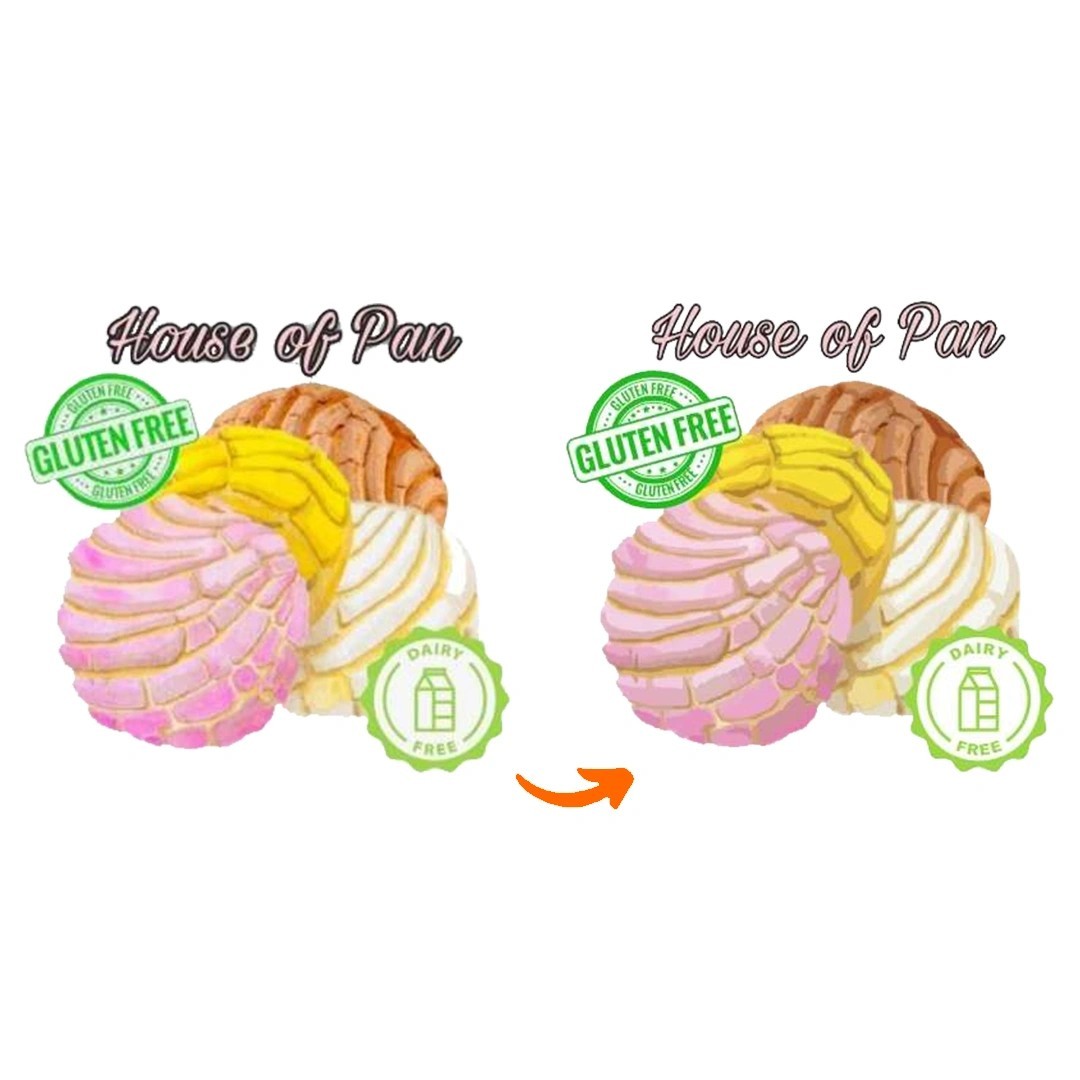
When a Logo Looks Blurry
A company may have an old logo saved as a small JPG or PNG. Enlarging that file for banners, packaging, or signage can result in poor visual quality.
Vector conversion helps recreate the logo using clean paths and shapes so it can be used at different sizes.
When Preparing Artwork for Large Printing
Large-format printing requires graphics that remain clear when displayed across substantial surfaces.
Vector files are useful for banners, promotional displays, vehicle graphics, and outdoor advertising materials.
When Updating an Existing Brand Design
Businesses sometimes need to modify an older logo or illustration. A vector file makes it easier to change colors, adjust shapes, modify typography, and update individual elements.
When Working with Cutting Machines
Certain vinyl cutting and plotter workflows require vector paths to define cutting boundaries.
Cleanly constructed artwork helps prepare designs for compatible cutting equipment.
When Creating Multiple Product Designs
A single logo may be required for packaging, labels, apparel, promotional products, and marketing materials. Vector artwork makes it easier to adapt the same design for different applications.
How a Professional Vector Art Conversion Service Improves Artwork
A professional vector art conversion service does more than create a new file extension. It focuses on rebuilding the artwork so that its visual structure remains clean and usable.
The process requires attention to detail, especially when working with complex logos, lettering, and custom illustrations.
1. Artwork Assessment
The designer first examines the supplied image to understand its structure and complexity.
This includes reviewing:
Original image dimensions
Shape boundaries
Line thickness
Color variations
Typography and lettering
Fine details and decorative elements
This assessment helps determine the most suitable conversion approach.
2. Reconstructing the Main Shapes
Once the artwork is reviewed, the important elements are recreated using vector paths.
The designer uses anchor points and curves to define the different shapes. Correct positioning of these points is essential for producing smooth outlines.
3. Refining Curves and Edges
Rough outlines can make a vector graphic look unprofessional. The designer adjusts curves, removes unnecessary points, and corrects uneven edges.
This stage is particularly important for circular logos, curved typography, and detailed symbols.
4. Recreating Colors and Details
Colors are matched as closely as possible to the original artwork. Individual elements are organized so that the final file remains manageable and editable.
Depending on the design, gradients, outlines, and other visual effects may also be recreated.
5. Checking Proportions and Alignment
The converted artwork is compared with the original image to identify differences in spacing, shape, size, and alignment.
This helps preserve the original design's visual identity.
6. Exporting the Final Vector File
After reviewing the artwork, the designer exports it in the requested format.
The final file may be supplied as AI, EPS, SVG, or PDF, depending on the customer's requirements.
Different Types of Artwork That Can Be Converted into Vector Graphics
Vectorization is suitable for many types of graphics, although the complexity and conversion method depend on the original image.
Business and Corporate Logos
Company logos frequently require vector conversion because they are used across websites, uniforms, business cards, packaging, and signage.
Recreating a logo as vector artwork helps maintain consistent proportions and clean outlines across different applications.
Custom Illustrations
Artists and designers may need illustrations converted into editable vector graphics for marketing, product design, and creative projects.
Vector recreation can make individual shapes and colors easier to modify.
Typography and Lettering
Custom text designs, decorative lettering, and wordmarks can be recreated using vector paths.
This is useful when a specific font is unavailable or when the lettering needs to be edited as individual shapes.
Product and Packaging Graphics
Manufacturers and packaging designers frequently use vector artwork for labels, logos, symbols, and product illustrations.
Editable graphics make it easier to adjust layouts and prepare designs for different packaging sizes.
Promotional and Advertising Designs
Businesses use vector graphics for posters, banners, vehicle advertisements, trade show displays, and promotional merchandise.
Scalable artwork allows the same design to be adapted for different dimensions.
Manual Vectorization vs Automatic Conversion
Several software applications offer automatic image tracing features. These tools analyze an image and generate vector paths based on detected edges and colors.
Although automatic tracing can be useful for basic graphics, it does not always produce production-ready artwork.
Complex images may contain unwanted points, uneven curves, distorted shapes, or unnecessary overlapping paths.
Manual vectorization provides greater control over the final result.
ComparisonAutomatic TracingManual Vectorization
ProcessingSoftware-generated pathsDesigner-created paths
Simple graphicsOften suitableSuitable
Complex logosMay need correctionGreater control
Curve refinementDepends on settingsPrecise manual adjustments
Anchor pointsCan create unnecessary pointsCan be optimized
CustomizationLimited by tracing resultsMore flexible
For detailed business logos and professional artwork, manual reconstruction and refinement can provide a cleaner result than relying entirely on automatic tracing.
Choosing the Right Vector File for Your Project
Different design applications and production workflows support different file formats. Selecting the correct format before conversion helps prevent compatibility issues.
AI (Adobe Illustrator)
AI is commonly used for editable professional vector artwork. Designers can modify paths, colors, typography, and other graphic elements.
EPS (Encapsulated PostScript)
EPS is widely used in commercial graphic production and printing workflows. It is a useful option when artwork needs to be transferred between compatible design applications.
SVG (Scalable Vector Graphics)
SVG is particularly useful for websites, digital interfaces, icons, and scalable online graphics.
It supports resolution-independent display across different screen sizes.
PDF (Portable Document Format)
PDF is commonly used for sharing and distributing finished artwork. Depending on how it is exported, it can preserve vector elements for compatible printing and editing workflows.
CDR (CorelDRAW)
CDR is a native format used by CorelDRAW and is often requested by printing and sign-making professionals.
The best format depends on the software, machine, and production requirements of the project.
How to Prepare Your Artwork Before Requesting Vector Conversion
Providing suitable source artwork can make the conversion process easier and help the designer understand your requirements.
Consider the following recommendations:
Send the Best Available Image: A high-resolution image provides more visual information and makes it easier to identify important details.
Provide Original Brand Colors: If you have brand color codes or a reference guide, share them with the designer.
Explain the Intended Application: Mention whether the artwork is intended for printing, signage, digital use, apparel, or cutting applications.
Specify the Required File Format: Confirm whether you need AI, EPS, SVG, PDF, or another compatible format.
Identify Important Design Details: If certain lettering, shapes, or proportions must remain unchanged, communicate those requirements before work begins.
Share a Reference Version: If you have multiple versions of the same logo, identify which one should be used as the final reference.
Common Vector Artwork Issues That Affect Final Quality
A vector file is not automatically high quality simply because it can be enlarged. The way the artwork is constructed matters.
Some common problems include:
Rough Curves
Poorly positioned anchor points can produce irregular curves and uneven outlines.
Incorrect Shape Proportions
If the original design is not followed carefully, certain elements may become stretched, compressed, or misaligned.
Excessive Anchor Points
Too many points can make the artwork difficult to edit and increase file complexity.
Missing Design Elements
Small details may be overlooked during conversion, particularly when the source image has poor resolution.
Incorrect Color Reproduction
Colors that are not matched carefully can change the appearance of a company logo or brand illustration.
Unorganized Layers and Shapes
Disorganized vector elements can make future editing and production more difficult.
Careful reconstruction and final inspection help reduce these issues and create artwork that is easier to work with.
Why Choose RiseDigitizing for Vector Art Services?
RiseDigitizing provides professional vector conversion and artwork preparation for businesses, graphic designers, apparel brands, and printing professionals.
We understand that every design has a different purpose. A company logo may require precise shape reconstruction, while a detailed illustration may need additional work on curves, colors, and individual elements.







Facebook Conversations