
How to Build a Music Library That Remains Organized Across Devices
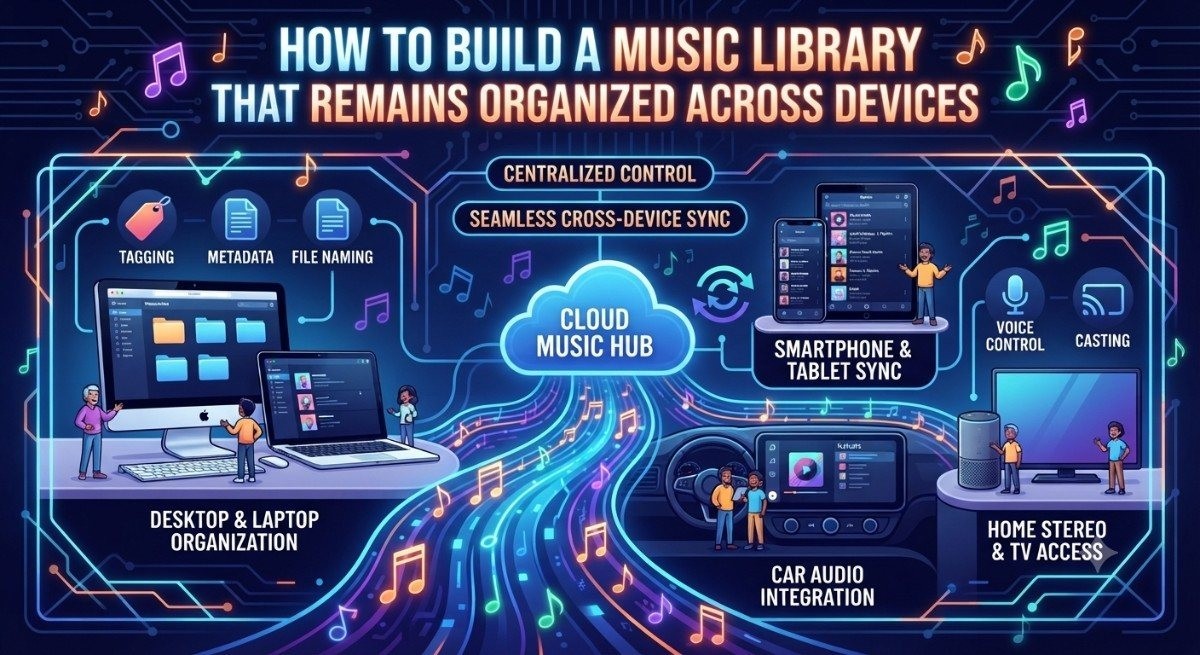
Building a music library that stays organized across devices requires a few consistent habits.

When you listen on multiple devices, it can be hard to keep a music collection organized. Songs can be saved on a phone, laptop, tablet, or external drive, so it is easy to lose track of files. Duplicate songs, wrong song titles, and missing album information can also lead to confusion.
A well-organized library makes it easier to navigate and enjoy your collection, whether you’re gathering music from various platforms or managing an MP3Juice download. A well-managed library means you can find songs easily, not have unnecessary duplicates, and enjoy the same music on all your devices.
1. Create a Consistent Folder Structure
Start by creating a simple folder system that works on every device. You can organize your music by artist, album, genre, or year. Choose a structure that makes sense for your collection and use it consistently.
For example:
Music
Artist Name
Album Name
Song Files
Podcasts
Audiobooks
Playlists
Avoid creating too many folders because this can make navigation harder. A simple structure is easier to maintain as your collection grows.
2. Use Clear and Consistent File Names
File names help you identify songs without opening every track. Use a standard naming style, such as artist name followed by song title.
For example, you can name a file:
Artist Name - Song Title.mp3
Avoid confusing names, random numbers, or unnecessary symbols. If you have several versions of the same song, include details such as Live, Remix, or Acoustic in the file name.
Consistent naming also helps music players display your collection more clearly.
3. Keep Music Metadata Accurate
Metadata stores information about an audio file, including its title, artist, album, genre, and release year. Even when file names are correct, missing or incorrect metadata can make songs difficult to find in music applications.
Check these details when organizing your collection:
Song title
Artist or band name
Album name
Track number
Release year
Album artwork
You can use audio-tag editing software to correct missing information. Accurate metadata makes searching and sorting easier across compatible music players.
4. Choose Compatible Audio Formats
Different audio formats may be supported by different devices and music apps. MP3 is widely supported, and formats such as FLAC and AAC might be useful for specific listening needs.
When working with MP3 audio, use a consistent format when possible. It can make file transfers simpler and reduce compatibility issues. But if you want to keep them, keep the original files and keep the higher-quality ones.
Just remember that converting a file from one format to another does not necessarily make it sound better.
5. Use Cloud Storage and Device Syncing
Cloud storage can help keep your music available across multiple devices. You can store compatible files online and access them from a phone, tablet, or computer.
Before choosing a service, check its storage limits, supported formats, offline access, and syncing options.
You can also use a music application with library synchronization features. Make sure automatic syncing does not create duplicate folders or overwrite files unexpectedly.
6. Back Up Your Music Collection
Your device can get damaged, lost, or run out of storage. If you don’t have a backup, it may be difficult to restore your music collection.
Keep a second copy of important files on an external drive or another safe place to store them. Update your backup when you add or reorganize a lot of songs.
7. Review Your Library Regularly
Take a little time to check your collection every few weeks. Remove duplicate tracks, fix song details, sort new downloads, and delete tracks you don’t need anymore. This one simple habit will prevent your library from becoming messy.
Conclusion
Building a music library that stays organized across devices requires a few consistent habits. Use clear folders, standard file names, accurate metadata, compatible formats, and reliable backups. Cloud syncing can also make your collection easier to access from different devices. With regular maintenance, you can keep your music easy to find, properly stored, and ready to enjoy wherever you listen.












Facebook Conversations